
Introduction
Splunk is a fully featured, powerful platform for collecting, searching, monitoring, and analyzing machine data. It is widely used by Security Operation Center (SOC) teams to provide advanced security event monitoring, threat analytics, incident response, and cyber threat management.
Burp Suite is a must-have web application attack proxy tool used by security analysts around the world to perform penetration testing against web applications. Burp provides its users the possibility to extend its functionalities through the Burp Extender API.
To merge the best of both worlds, we developed a Burp extension named ActiveEvent to facilitate the integration of web application vulnerability management with SOC operations.
The plugin
ActiveEvent is a Burp Suite plugin that continuously monitors the Burp scanner for new security issues. As soon as the scanner reports new vulnerabilities, the plugin parses the results, transforms them, and sends them in the form of events directly into the Splunk management interface using the HTTP Event Collector functionality.
The plugin allows both the SOC and penetration test teams to do better data fusion by integrating their processes (web application security testing and log management). The core idea is that the log management team can immediately benefit from the results produced by the penetration testing team for its daily activities.
Configuring ActiveEvent
ActiveEvent has to connect to Splunk in order to convert vulnerabilities into events. This can be achieved by accessing Splunk's HTTP Event Collector through the web management interface by clicking on Menu > Data Input > HTTP Event Collector > New Token. Follow the necessary steps to generate the token.
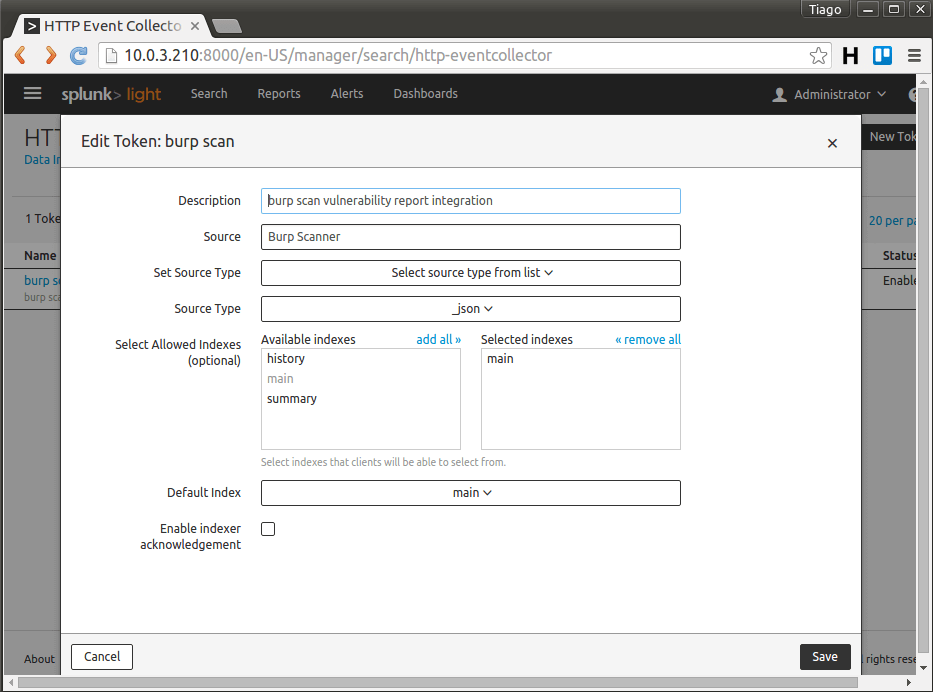
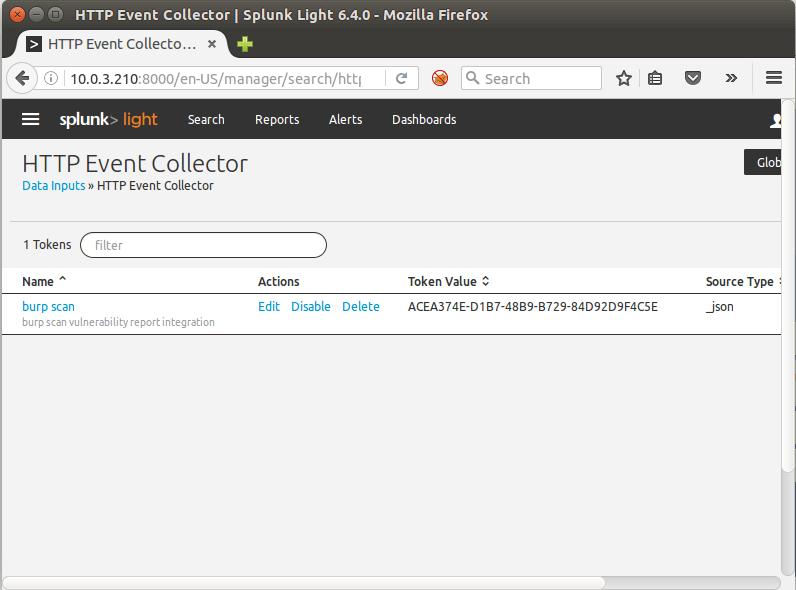
The previous steps will generate a token that should be used as a command line argument in Burp:
java -XX:MaxPermSize=1G -jar burp.jar 127.0.0.1 8088 'xxx-yyy-api-key'
This syntax will load Burp Suite and inform through these parameters the Splunk IP address, TCP port (default is 8088), and API token value.
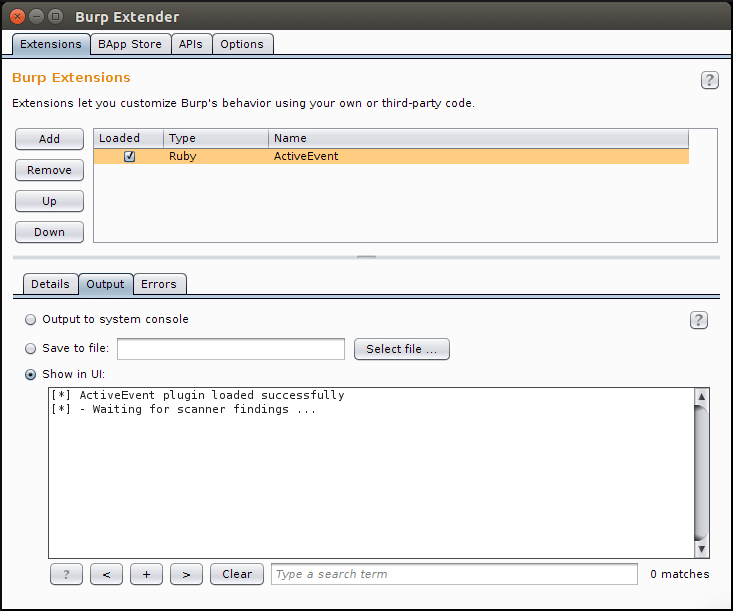
As soon as Burp starts, go to Extender Tab > Options > Ruby Environment and specify the path to your JRuby jar file. Next, in the Extender Tab > Extensions > Add, choose Ruby as an extension type and specify the path to this plugin.
When loaded successfully, you should see the following output:
Using ActiveEvent
While the analysts perform their normal web application security assessments, the plugin will silently obtain the results produced by the scanner and send them to Splunk, in such a way the SOC team can use this information to improve their correlation work.
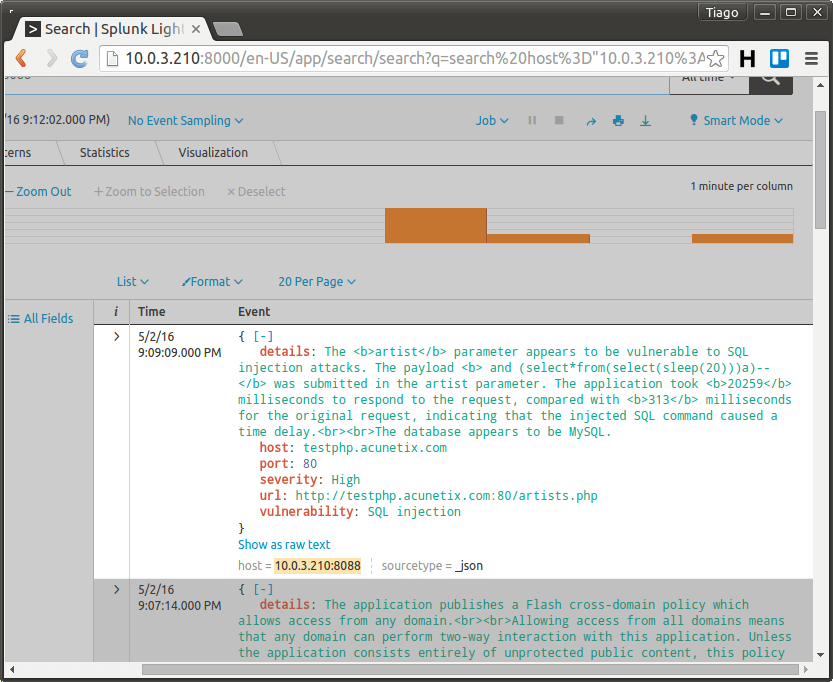
The image below shows this process.
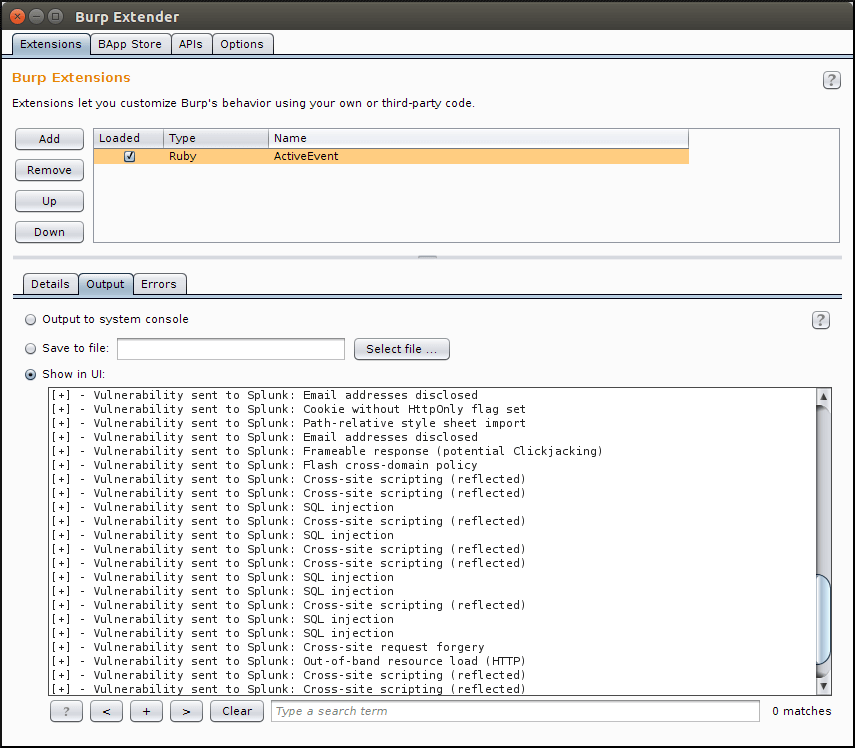
The vulnerabilities found during scanning will be available in the form of events in Splunk.
Obtain useful data from Splunk
Since the scanner results are already on the Splunk interface, it is possible to configure the field extractor functionality and map the main fields like vulnerability, severity, URL, etc.
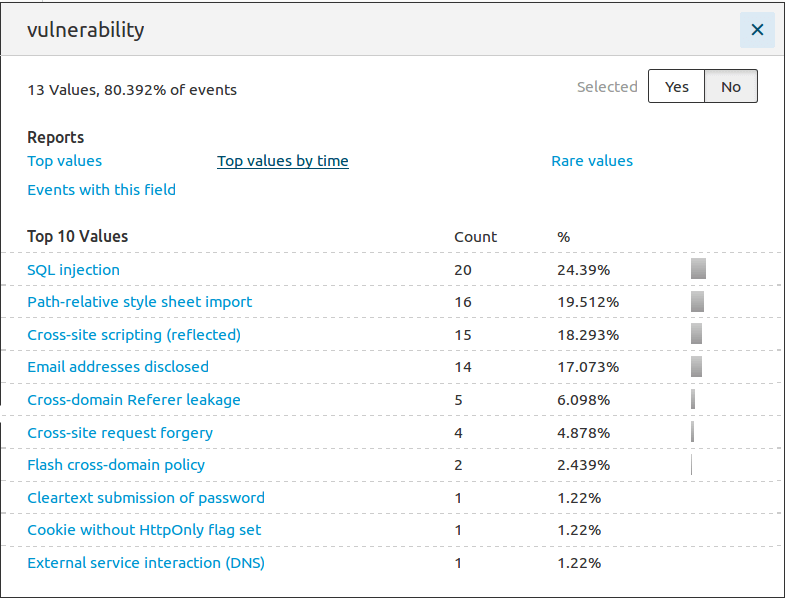
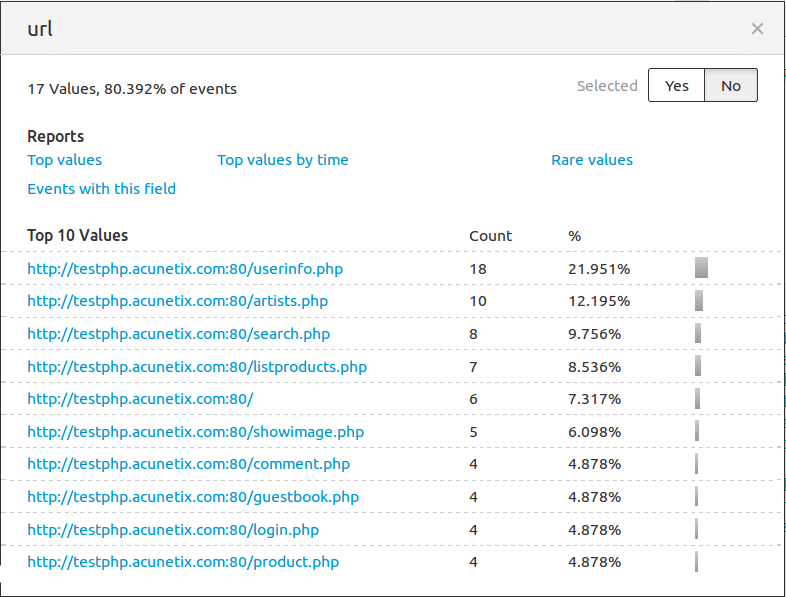
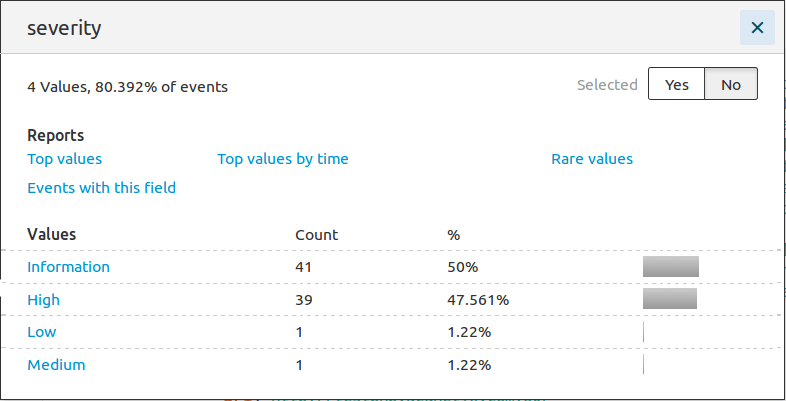
With the field extractor results, it is quite simple to obtain a variety of information.
- Top 10 vulnerabilities found:
- Top 10 vulnerable URLs:
- Severity statistics:
Furthermore, the SOC team can use the provided data to correlate with real-time analysis and improve their efficiency in attack classification.